Guide
Beginner Guide
Learn the basic idle RPG loop, Act progression, difficulty unlocks, and the early-game points that most often slow new players down.
Read the beginner guideTaskbar Hero (TBH: Task Bar Hero) is a tiny idle RPG that fits into your taskbar. This homepage organizes beginner progression, class choices, runes, cubes, gear upgrades, and official Steam information in clear English.
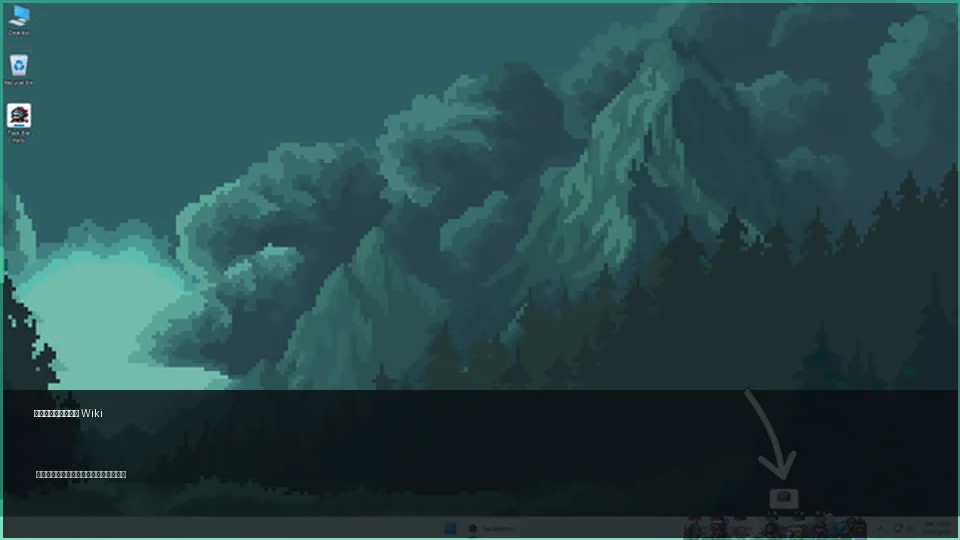
These are the questions Taskbar Hero players are most likely to search for, organized as future wiki categories.
Learn the basic idle RPG loop, Act progression, difficulty unlocks, and the early-game points that most often slow new players down.
Read the beginner guideCheck price, free-to-play access, DLC, Windows requirements, Steam Cloud, market notes, and safe install steps before your first run.
Read Steam guideCompare classes, skills, and gear combinations so you can decide whether to improve damage, survivability, or farming speed.
Read the build guideRank class roles by early investment value, stable damage, idle survivability, farming support, DLC caution, and rune or cube timing.
Read the tier listUnderstand what runes do, which stats to add with cubes, and which effects deserve priority when upgrading gear.
Read the rune guidePlan materials, Hero-dric Cube spending, gear tests, and keep-or-sell decisions before you invest in a promising item.
Read the crafting guideTrack rarity, Steam Market trading, gear filtering, and the decision between selling, keeping, or upgrading valuable items.
Read the item guidePlan when to farm pets, which stable routes to use, and how to separate build value from Trading Ship or market value.
Read pet farming guideCheck Class Bundle, Supporter Pack, stash, and soundtrack choices before buying optional content.
Read the DLC guideTaskbar Hero (TBH: Task Bar Hero) is a free-to-play tiny idle RPG developed by Nugem Studio and Tesseract Studio and published by Nugem Studio. It runs in a small corner of your screen while pixel heroes fight automatically, collect items, and grow through classes, skills, gear, cube upgrades, and build planning.
The small window is easy to keep beside your work, letting you watch progress while the game idles in the background.
Combine classes, skills, gear, and cube effects to shape a setup that fits your farming goal.
Gear rarity ranges from Common to Cosmic, making item upgrades and filtering a core part of progression.
Automatic combat gathers materials and equipment, then you return to upgrade, sell, and adjust your build.
| Official Name | TBH: Task Bar Hero / Taskbar Hero |
|---|---|
| Genres | Casual, Indie, RPG, Free to Play |
| Supported OS | Windows 10 / 11 (64-bit) |
| Developers | Nugem Studio, Tesseract Studio |
| Publisher | Nugem Studio |
| Release Date | May 27, 2026 |
| Main Features | 500+ items, 50+ monsters, Steam achievements, Steam Cloud, and Steam Market support |
GSC shows separate intent for tbh task bar hero wiki, taskbar hero guide, taskbar hero builds, taskbar hero runes, and taskbar hero market. This home page stays a wiki hub and sends detailed intents to existing guide pages.
Use this page when you need the game overview, official facts, guide categories and broad FAQ in one place.
Open wiki homeUse it for first-day routing, what to do when an Act stalls, and the return-from-idle checklist.
Read beginner guideUse it when comparing classes, roles, gear upgrades and free-to-play priority decisions.
Read build guideUse it when deciding which class role deserves early investment, when DLC is worth checking, and when to spend runes or cubes.
Read tier listUse it when deciding when to spend materials, reroll cube stats, or keep a piece of gear.
Read upgrade guideMarket-related drops should be checked for build value and tradability before selling.
View market decisionsUse it when deciding when to farm pets, where to idle, and when a drop should be used, stored, shipped, or checked on the market.
Read pet farmingFor price trackers, third-party scanner checks, and safer listing decisions.
Read the Market Scanner guideIn the early game, unlocking more systems and difficulty tiers matters more than perfect item filtering. Push Acts while you can win, then return to gear upgrades and skill adjustments when enemies start to stop your progress.
The stats you care about change depending on whether you want more damage or safer farming. A Taskbar Hero build should be evaluated through the interaction between class, skills, and equipment effects, not by class name alone.
Upgrade materials become more valuable later. Instead of spending everything on very early gear, prioritize items that clearly improve farming speed or pieces that can stay useful for longer.
Inventory management becomes easier when you separate items into sell, material, and market-candidate groups. Check attached stats as well as rarity before making the final decision.
Explore published guides by system and use these links to move from the homepage to focused pages.
Beginner progression, Act-specific walls, difficulty unlocks, and how to choose farming locations.
Class traits, skill priorities, and stat goals for different build styles.
Class role rankings, free-first priorities, DLC checks, and team composition choices.
Read the tier listWhen to spend upgrade materials, which cube effects to chase, and how to think about gear filtering.
Read the rune guideRarity, drops, market use, and the decision to sell, store, or upgrade equipment.
Read the item guideUnique modifiers, triggers, stacking checks, and decisions about keeping or upgrading unusual gear.
Read the unique stats guideSteam achievement requirements, easy-to-miss unlocks, and an efficient completion order.
Read the achievements guidePatch notes, balance changes, new DLC, and newly added game systems.
Read update notesTaskbar Hero is an idle RPG, but the choices you make when checking in still change how quickly your account grows.
| Element | What to Check | Best Timing |
|---|---|---|
| Class | Damage, survivability, farming speed, and skill synergy | Before entering a new difficulty tier |
| Gear | Rarity, attached stats, and pieces that can stay useful longer | When an Act starts to block progress |
| Runes | Build weaknesses and farming efficiency | After your build direction is clear |
| Cubes | Adding stats to items and filtering upgrade candidates | When you find gear worth keeping |
| Market | Sell value, tradable items, and storage decisions | When high-rarity gear drops |
Early on, prioritize Act progression and stable farming. In the mid game and beyond, go deeper into runes, cubes, and market decisions so you can reduce wasted upgrade materials.
Taskbar Hero Blog is a wiki-style guide hub for TBH: Task Bar Hero. Queries such as TBH Task Bar Hero wiki, taskbar hero guide, taskbar hero build, rune guide, and market look similar, but they do not need the same page. Use this home page for the game overview, official facts, and category map; use the build guide for class and role choices, the rune and cube guide for upgrade materials, and the item and market guide for selling, keeping, and Steam market checks.
The official Steam page lists Taskbar Hero as free to play. DLC, monetization, and availability can change, so always confirm the latest purchase or install details on the official Steam page.
The official Steam page lists Windows 10 / 11 (64-bit) support. Mac and Linux are not shown as supported platforms in the current official data.
Focus first on Act progression, gear upgrades, and skill setup. Detailed item filtering is easier to justify after more difficulty tiers and farming locations are unlocked.
Use them on gear that clearly improves farming efficiency or survivability rather than on items you will replace quickly. It is safer to set your build direction first, then decide rune and cube priorities.
The official description says some items can be freely traded on the Steam Market. Actual item eligibility and prices can change, so check the live Steam Market before selling or using valuable drops.
No. Taskbar Hero Blog is an independent English fan wiki. Official Steam pages and developer announcements should be treated as the primary source, while guide notes are organized from verifiable play and public information.