Task Bar Hero Mobile Guide: Android, iOS, and Steam Link
Task Bar Hero mobile searches often mix three different things: the official Windows game, unrelated phone apps using a similar name, and remote streaming from a PC. This guide separates them so you can choose a safe, realistic way to play without mistaking a third-party listing for an official Android or iOS release.
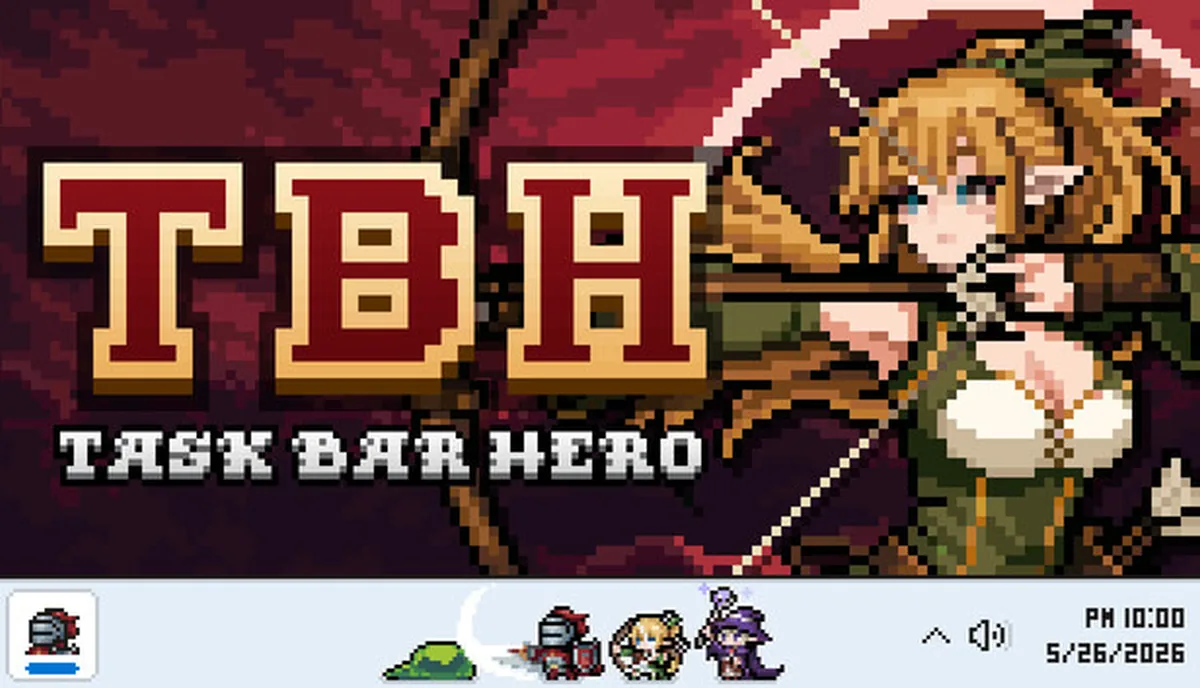
Bottom line: there is no verified native Android or iOS release
As of July 15, 2026, the official Steam listing for TBH: Task Bar Hero names Windows 10 and Windows 11 as the supported operating systems. It does not list Android, iPhone, iPad, macOS, or Linux. A phone can still act as a remote screen and controller through Steam Link while the game runs on your own Windows PC, but that is PC streaming, not a mobile port.
- Use the Steam page published by Nugem Studio as the official availability baseline.
- Do not assume a Google Play or App Store result is official just because its title says Taskbar Hero.
- Steam Link requires the Windows PC to run the game and normally works best on a stable local network.
- For account, item, and market safety, never enter Steam credentials into an unknown mobile app.
Official platform status for Task Bar Hero
The safest answer comes from the first-party store listing rather than search snippets, videos, APK sites, or app-store titles. The Steam page identifies the developers as Nugem Studio and Tesseract Studio, the publisher as Nugem Studio, and the operating-system requirement as 64-bit Windows 10 or Windows 11. No first-party mobile store link is shown there or in the official update checked for this guide.
| Platform | Verified status | What to do |
|---|---|---|
| Windows PC | Officially supported on Windows 10/11, 64-bit | Install from the official Steam listing. |
| Android | No verified native release from the official developers | Treat similarly named Play listings as separate products unless the official Steam page links them. |
| iPhone / iPad | No verified native iOS or iPadOS release | Avoid unofficial download claims; use PC remote play only if it suits you. |
| Steam Link | A remote-streaming route, not a native port | The Windows PC remains the host and must run the game. |
Platform support can change. Re-check the official Steam page and developer announcements before installing anything that claims to be a new mobile version.
How to tell the official PC game from a similarly named mobile app
A matching title is not enough to prove ownership or affiliation. Compare the developer, publisher, platform, store link, and account behavior. The official PC game is tied to Steam app 3678970 and names Nugem Studio plus Tesseract Studio. A Google Play listing found during this review names ChatBoom and even describes itself as a different project, so it should not be presented as the Android edition of TBH: Task Bar Hero.
Verified first-party route
TBH: Task Bar Hero on Steam
- Developers
- Nugem Studio, Tesseract Studio
- Publisher
- Nugem Studio
- Platform
- Windows 10/11
- Store ID
- Steam app 3678970
This identity matches the official store page and official news feed used as the factual baseline for this site.
Separate third-party product
Similarly named mobile listing
- Developer
- ChatBoom
- Platform
- Google Play
- Affiliation
- Not verified by the official TBH sources
- Decision
- Do not call it the official mobile port
A different developer and no first-party link are enough reasons to treat the app as unrelated, even when the name and idle-game theme look familiar.
- Open the official Steam page first and note the exact developer and publisher names.
- Compare the app-store developer identity, privacy details, support site, and package name.
- Reject pages that promise an APK, mod, free items, Steam login rewards, or market access without a first-party source.
- If the official developer later announces mobile support, follow the link from its Steam news or verified store page rather than a search advertisement.
Can Steam Link make Task Bar Hero playable on a phone?
Steam Link can stream a game from a Windows PC to an Android or iOS device. In that setup, Task Bar Hero still launches and saves on the host PC; the phone only receives video, audio, and input. This can be useful for checking an idle session from another room, but it does not create a standalone mobile installation and it does not guarantee that every small desktop control will feel comfortable on a touchscreen.
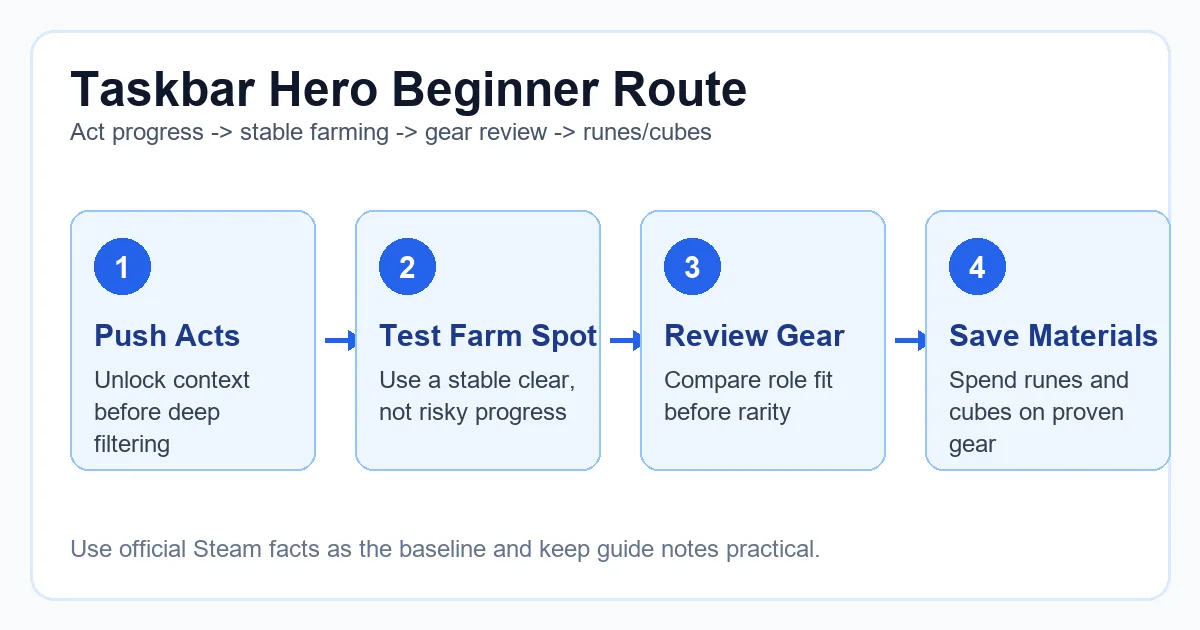
Install the official game on Windows
Use Steam app 3678970, launch it once, and confirm your normal save and settings before adding remote access.
Install Steam Link from an official mobile store
Use Valve's official Steam Link app. Pair it with the same Steam account and host computer; never install a random APK that claims to include Task Bar Hero.
Test on the same network first
A strong local Wi-Fi connection reduces delay and makes tiny interface elements easier to control. Start with a short session before relying on it for purchases or inventory changes.
Use remote play for checks, not risky actions
Idle progress reviews and simple navigation are better fits than precise item sales, Cube changes, or account-security actions on a small screen.
The PC must stay available
If the host is asleep, offline, updating, or signed out, the phone cannot run the game independently.
Touch controls are not a native layout
Task Bar Hero was built around a Windows window, mouse input, and small UI elements. Some actions may need a virtual mouse or controller mapping.
Network quality matters
Latency, image compression, and disconnects can make detailed inventory or market work unsafe. Wait until you are back at the PC for valuable-item decisions.
What Task Bar Hero activities fit remote mobile play?
The best mobile use cases are short, reversible, and low risk. The worst ones involve account credentials, real-money market decisions, or irreversible upgrades. Treat remote play as a convenience layer over your PC session rather than a replacement for the desktop workflow.
Good fit: progress checks
Review whether the run is active, confirm the current Act or difficulty, and look at general resource growth without changing important settings.
Possible fit: simple navigation
Opening a familiar menu or adjusting a low-risk option may be fine after you have tested the touch mapping on your own device.
Poor fit: valuable item decisions
Steam Market listings, rare-item sales, engraving choices, and Cube upgrades deserve a stable PC view where details are easier to verify.
Never: unknown login forms
Do not type Steam credentials, recovery codes, API keys, or payment information into third-party apps that imitate the game's name or artwork.
Version freshness check completed before publication
This is a game-information site rather than a download mirror, but the mobile keyword can lead users toward installers. We therefore checked first-party release information before publishing. The official Steam news feed lists patch 1.00.27 on July 10, 2026. A roadmap post was also published that day, but no newer numbered client patch was found by the July 15 check.
| Field | Verified value | Source |
|---|---|---|
| Latest numbered patch found | 1.00.27 | Official Steam news |
| Patch date | July 10, 2026 | Official Steam news |
| Official platform | Windows 10/11, 64-bit | Official Steam store |
| Official mobile download | None verified | Steam store and official news checked July 15, 2026 |
No version number, APK file size, mobile package name, or direct mobile download link is invented here. If a verified mobile release appears later, this page should be updated from a first-party announcement.
Choose the safest route for your goal
Decide what you actually want before downloading anything. Native phone play, remote PC access, and a separate similarly named mobile game are three different products and security situations.
You want the official Task Bar Hero game
Use the official Steam page and a supported Windows PC. This is the only first-party installation route verified for this guide.
You want to check your PC run from a phone
Try Valve's Steam Link as remote streaming. Keep expectations realistic and avoid precision-heavy or valuable-item actions.
You found an Android app with a similar name
Compare the developer identity and source links. If it is not published or linked by Nugem Studio or Tesseract Studio, treat it as a separate app.
You found an APK or mod download page
Do not install it based on the title alone. This guide found no verified official Android package, so an APK claim requires especially strong first-party proof.
Sources checked
Availability and version claims use first-party Steam sources. The Google Play listing is included only to explain name confusion and is not endorsed as an official release.
Task Bar Hero mobile FAQ
Is Task Bar Hero available on Android?
No official native Android release was verified as of July 15, 2026. The official Steam page lists Windows 10/11. A similarly named Google Play app uses a different developer identity and should be treated as a separate product.
Is there an official Task Bar Hero iPhone or iPad app?
No first-party iOS or iPadOS listing was found in the official Steam page or news checked for this guide. Do not trust an App Store or download claim unless the official developer links to it.
Can I play Task Bar Hero with Steam Link?
Potentially, yes, as remote PC streaming. The game still runs on your Windows host computer, while the phone displays the stream and sends input. This is not a native mobile port.
Is the Google Play app called Taskbar Hero the same game?
The listing reviewed for this page names ChatBoom, while the official PC game names Nugem Studio and Tesseract Studio. Without a first-party link or matching developer identity, it should not be described as the Android version of TBH: Task Bar Hero.
Where should I download the official game?
Use the official Steam listing for app 3678970. This site does not provide an APK, installer mirror, or unofficial direct download.
What is the latest verified Task Bar Hero version?
The latest numbered first-party patch found before publication was version 1.00.27, posted on July 10, 2026. Always check the official Steam news feed because game versions and platform support can change.