Taskbar Hero stage drops: list and how to choose a farming route
Find a reported stage for an item, check whether you can repeat it with your current build, and compare the result fairly. Community tables are starting points, not official proof of a drop or a precise probability.
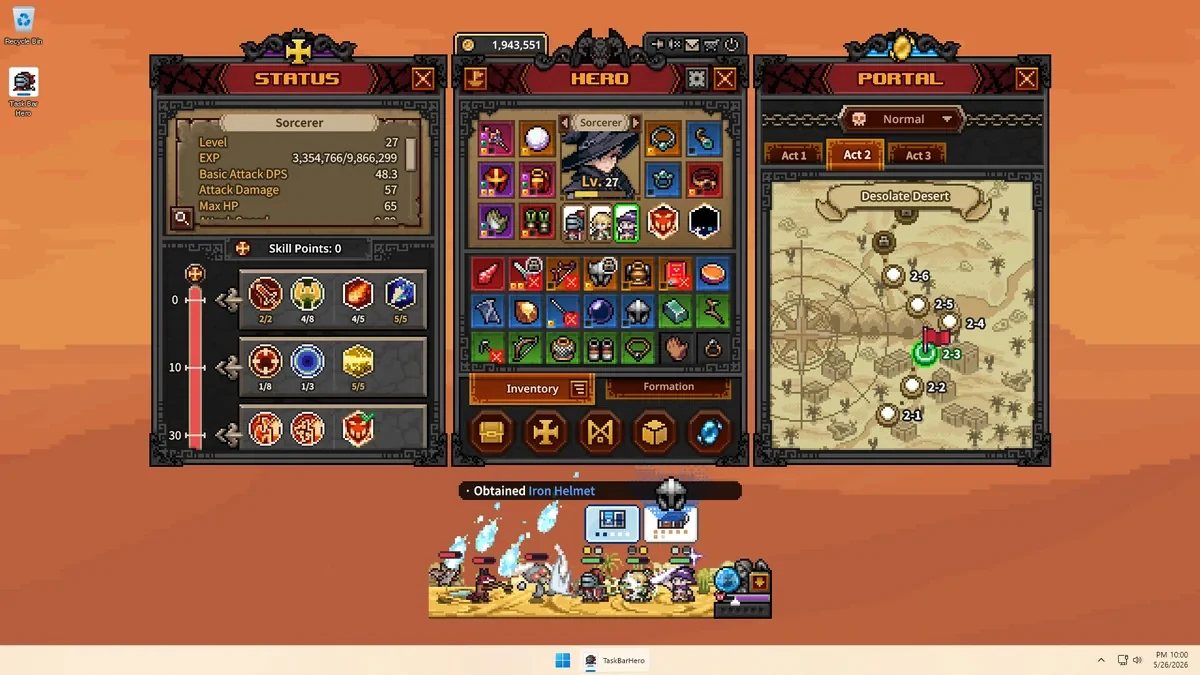
How to use the Taskbar Hero stage drops guide
The Japanese community wiki has a contents index grouped by Normal stage ranges, so it can help you locate a reported area. The fetched index does not independently verify every listed item, its source, or a reliable rate. Use a stage as a candidate, confirm its number and difficulty in the Portal, then log several runs with the same setup. Record drops, no-drop runs, clear time, and failures. Compare stability and useful returns per unit of time instead of treating one lucky result as proof.
- The community index shows which stage ranges have entries; its headings alone do not prove that a specific item drops there.
- A player report, a repeatable observation, a confirmed source, and a measured probability are different claims.
- Separate ordinary enemies, bosses, and chests when the source identifies them. Mark an unclear source as unknown.
Ranges shown in the Taskbar Hero stage drops index
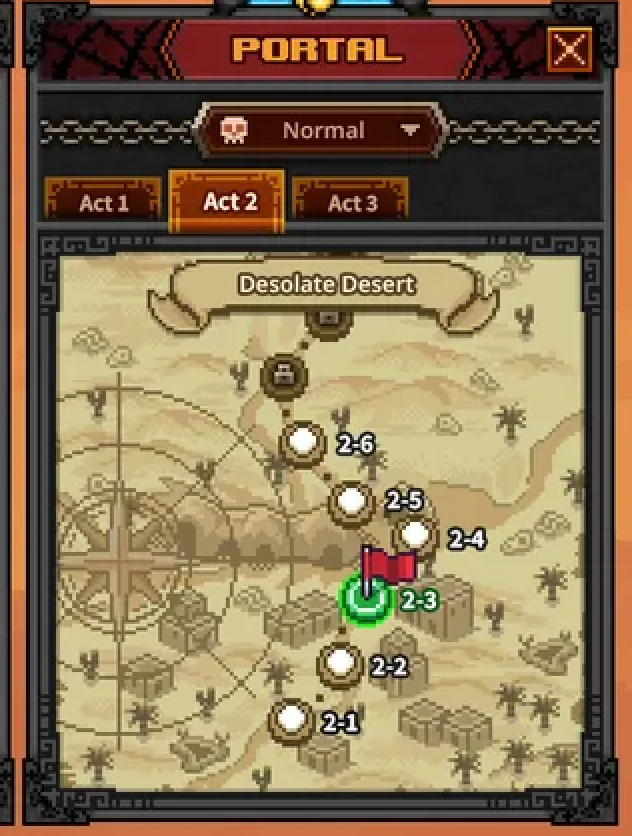
The Japanese community wiki groups its Normal difficulty drop entries into ranges. The table below transcribes the ranges visible in its contents list. It is an index to places worth checking, not a verified item-by-stage catalogue or a claim that every item in a range is obtainable there.
Open the matching heading and inspect the linked entry for its stage number, difficulty, enemy, chest condition, and date. A range heading can help you find a page, but only the linked detail may contain an item report. If the page does not identify a source or condition, keep that uncertainty attached to the note rather than filling in a likely-sounding answer.
| Range in the community index | What the heading confirms | What to check next |
|---|---|---|
| N 1-1 to 1-3 | A Normal-stage index heading exists | Open its entry and check item-level evidence |
| N 1-4 to 1-7 | A Normal-stage index heading exists | Confirm the same difficulty in game |
| N 1-8 to 1-9 / 2-1 to 2-2 | The index groups entries across Acts | Record the exact stage, not just the range |
| N 2-3 to 2-7 | A range of Act 2 entries is listed | Look for repeated, dated observations |
| N 2-8 to 2-9 / 3-1 to 3-7 | The index groups entries across Acts | Check whether the source is still current |
| N 3-8 to 3-9; N 1-10, 2-10, 3-10 | Later and boundary stages are indexed | Verify any boss or reward conditions |
These are stage ranges from the community contents list. They are not official confirmed drops, drop rates, or a ranking of the best farming stages.
Separate a drop report from a confirmed source
The Taskbar Hero stage drops pages are useful for finding leads, but the strength of each claim depends on how it was recorded.
An in-game acquisition notice or an inventory change is direct evidence that an item appeared in that session. By itself, it does not identify the exact enemy, chest, or event responsible. It also does not show that the same result repeats or that the stage has a known probability. Record what happened immediately before the notice and whether a chest, boss, or ordinary encounter was involved.
The official Steam store can confirm the game listing and publisher context, but it is not a stage-by-stage drop database. The community wiki also warns that some information is based on overseas sources and may be inaccurate. When first-party evidence is not available, say that the detail is community-reported or unverified instead of presenting it as official.
| Evidence type | What it can show | What it does not establish |
|---|---|---|
| In-game notice | An item was observed in that session | A general rate or every possible source |
| Community stage table | A reported candidate and a lookup path | Attempt count, current accuracy, or official status |
| Official store or notice | Publisher and published game information | Undocumented item-level drop conditions |
| Your repeated log | Results and timing for your own setup | A universal rate across saves and versions |
Do not turn an unattributed percentage into a precise drop rate. Keep its source, date, difficulty, and caveat beside the number, or omit the number.
Choose a stage and repeatable farming route
The highest unlocked stage is not automatically the best farm. Start with a reported candidate that your current build can clear consistently, then compare it with another route under similar conditions.
Define the goal before choosing a stage. Name the gear or material if you know it; otherwise state which problem you want to improve, such as damage, survival, or upgrade materials. A broad goal like finding something useful makes it difficult to judge whether a run helped, and can lead to changing your route after every isolated drop.
Use the community index to find candidate stages, then check whether each one is unlocked in your Portal. Put the reported source and any known enemy or chest condition beside the stage number. Exclude a locked stage or a route where your team repeatedly fails, and write down why it was excluded. That gives you a useful list without pretending that every lead is confirmed.

- Choose one goal. Name the item, material, or build problem you want the route to address.
- Record candidate conditions. Write down stage, difficulty, source page, and the report's date or caveat.
- Run a consistent short test. Track attempts, clear time, failures, chests, and every acquisition notice.
- Compare the useful return. Keep observed drops, stability, time, and other rewards as separate measures.
The site's farming calculator can organize time and return figures you measured. It does not know a stage's drop table and cannot validate an unverified rate.
Compare farming runs without overstating the result
This example explains a comparison method. Its times and outcomes are hypothetical, not fixed game rewards or observed drop data.
Suppose route A is quick and route B takes longer. If the target item appeared once on A and not once on B, that pair of runs cannot show that A has a higher drop rate. The attempts may be too few, the elapsed time may differ, or the runs may have included different enemies and chests. Describe exactly what you observed rather than turning two outcomes into a general rule.
If the sample is small, report an observation such as 'seen once under these conditions' or 'not seen in these runs.' Do not calculate a public probability from a handful of attempts. For shared logs, compare game version, difficulty, and recording rules before combining them; otherwise keep the groups separate.
| Log field | Example | Why it helps |
|---|---|---|
| Stage and difficulty | Number shown in the Portal | Prevents mixing unlike conditions |
| Duration and clears | Measured time and completed attempts | Compares repeatability and time |
| Acquisition observation | Item, notice, chest, and timing | Separates reports from unknown sources |
| Formation and changes | Gear, pets, or upgrades before and after | Explains differences between sessions |
Review an item and recheck after updates
The Taskbar Hero stage drops search does not end when the item appears. Keep acquisition evidence separate from decisions about gear, storage, crafting, and selling.
Check whether the item fits your current build, then run a short test before investing a large amount of upgrade material. A high rarity label does not prove that an item improves your damage, survival, or clear speed. If the item may be tradable, check its in-game state and market information before dismantling or selling it. Those decisions belong to the item guide, not to a stage-drop claim.
After a game update, treat an older table as a lead rather than a current guarantee. Check official notices and the date or revision of the community entry. If you have not retested a reported source, say so and record when you checked it. A page without a visible update date is not proof that its details still match the current game.
This page covers finding reported acquisition sources and comparing routes. Gear value, market checks, and sell-or-keep decisions are covered in the item and equipment guide.
Taskbar Hero stage drops FAQ
Is there a stage where a specific item is guaranteed to drop?
The public community sources reviewed for this guide do not verify a guaranteed source for each item as official information. Use a listed stage as a candidate, then confirm the condition and acquisition notice in game across repeated runs.
Are the community wiki drop rates accurate?
They cannot be treated as confirmed. The wiki notes that some information is based on overseas sources and may be inaccurate. Check date, difficulty, attempts, and whether no-drop runs were counted. Treat unattributed figures as unverified, not as a precise probability.
Does one item drop prove that a stage is the best farm?
No. One acquisition is an observation, not proof of a higher rate or better route. Compare multiple runs, clear stability, time, and other rewards under similar conditions.
Should I separate chest rewards from enemy drops?
Yes. Note whether a normal encounter, boss, or chest happened just before the item appeared. If you cannot tell which event produced it, record the source as unknown.
Can I keep using a drop list after a patch?
It can remain a search lead, but it is not a guarantee that old results still apply. Check the update date and game notices, then retest any route that matters to you.
Can a few runs establish a drop probability?
A percentage can be calculated from a small sample, but it will be highly uncertain and should not be presented as a general game rate. Report the exact conditions and observations instead.